Save hours.
Cut costs.
Keep your data on your desk.
Call SuperJar from wherever you are. It handles documents, email and meetings using your company's knowledge — and nothing goes out without your approval.

From one call on the road
to finished work
Unedited recordings of the real product. One tap plays with sound.
- 1Call
You call SuperJar while traveling.
- 2Ask
“Analyze the PDF I uploaded.”
- 3Execute
It writes an English report and files it in the right project.
- 4Prepare
It prepares an email to the recipients.
- 5Approve
You review and approve.
- 6Done
It sends, and logs the completed work.
Anything outbound stops here — it runs only after your approval.
Not just a device.
The call app and dashboard come with it
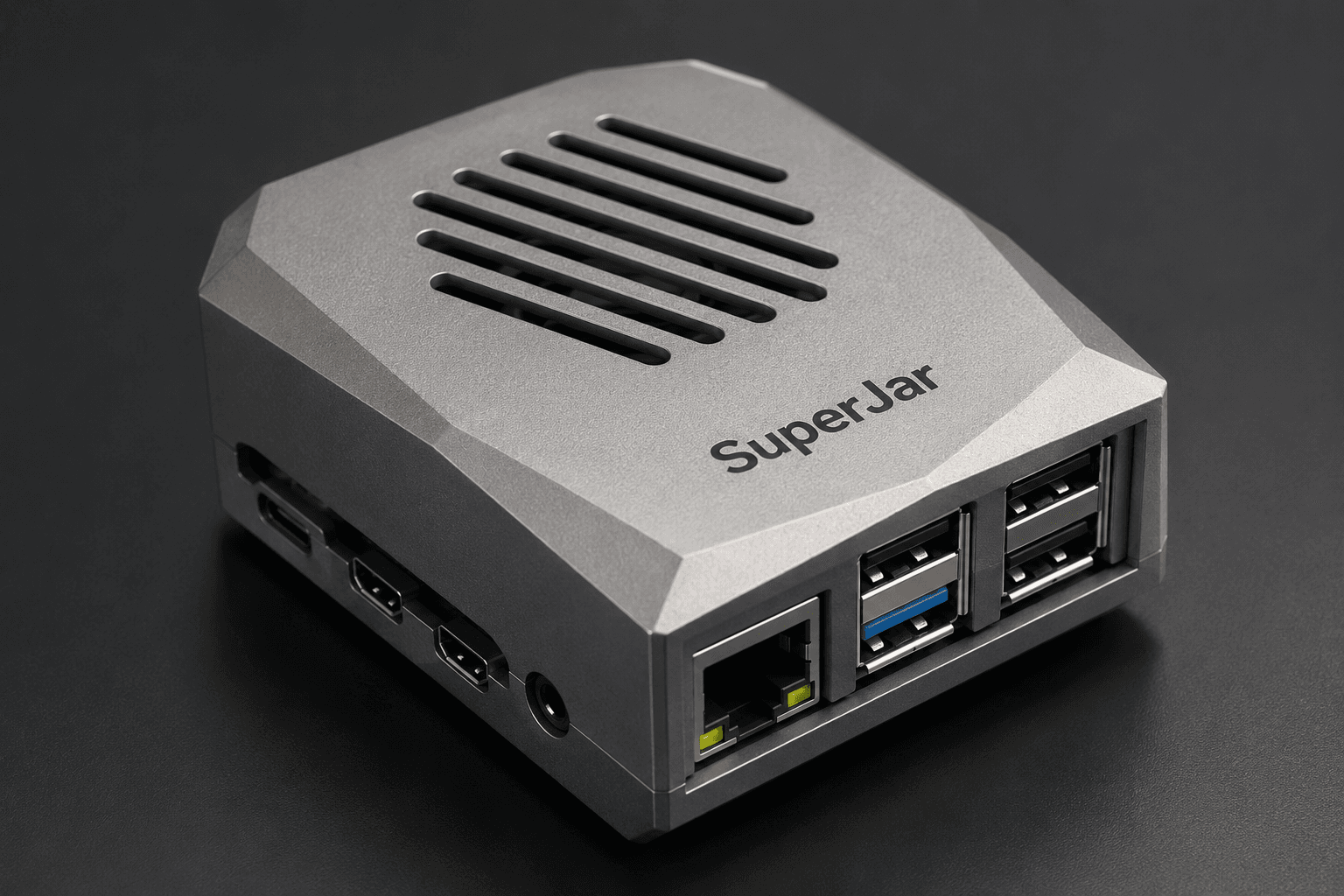
A dedicated device, a mobile call app, and a PC dashboard — one product, working together.

- Tap to call, like any phone call
- Speak while driving or at dinner
- Type instead when you need quiet

- Palm-sized · on duty 24/7
- Keeps documents, contacts and the knowledge bank
- 30-minute setup · just plug in

- Approval queue for anything outbound
- Execution history with source citations
- Manage files, contacts and knowledge
Same CEO, same task.
The difference is one phone call
Take one English report for an overseas buyer:
- Open tool after tool
- Hunt down the documents yourself
- Copy context between apps
- Draft, check and send it all yourself
- Work stops while you travel
- Make one call
- Say only the outcome you want
- Review the prepared result
- Approve just the outbound send
- Get back to work only a CEO can do
These are market statistics. SuperJar's own product evidence is shown separately in the next section.
Targets and verified results,
clearly separated
We don't dress up targets as achievements. Every number carries a label saying what it is.
Internal test figures will be published here once verified.
During the pilot you'll see hours saved, tasks completed and deadlines kept in a weekly report.
Start with the most expensive hour of your day
Documents, communication, meetings. Three assistants are built in; add specialists when you need them. No hiring.
- You say
- “Analyze this proposal and summarize it in English”
- SuperJar does
- Analyzes and translates against your company knowledge, citing source pages
- You get back
- A report filed in the project folder
- Runs after approval
- Sending the team share email
- You say
- “Email CEO Park to confirm the meeting”
- SuperJar does
- Writes the email in your voice and confirms the recipient and schedule
- You get back
- A ready-to-send email and the follow-up schedule
- Runs after approval
- Sending email · calendar invites
- You say
- “Prep my 3 pm meeting with Director Kim”
- SuperJar does
- Gathers the agenda and history from company documents into a one-page brief
- You get back
- A brief 30 minutes before, decisions logged after
- Runs after approval
- Sharing decisions externally
It works from your company's knowledge.
You make the final call
SuperJar works from your documents, contacts and decision history. And anything that leaves the company goes through your approval first.

- Source documents stay on the SuperJar device in your office.
- Content that needs AI analysis is sent to an external AI (Google Vertex AI) for processing.
- Email and calendar are accessed only within the scope you allow.
- Execution and approval history is kept on the device and in the console.
- Your documents are not used to train AI models.
- You can disconnect integrations and request data deletion at any time.
Device + execution assistant service,
one package
This isn't a typical app-only AI subscription. The dedicated SuperJar device and the execution assistant service come together.
We'll prove out your next 4 weeks
in numbers
Every week: hours reclaimed, tasks completed, deadlines kept. If the numbers don't show up, you don't pay.
SME CEOs buried in document, email and meeting work
30-minute device install, email and calendar connected together
We set up the 2–3 tasks you'll delegate most often
Dedicated onboarding and a weekly outcome report
Hours saved · tasks completed · approved outbound actions
A check-in of about 30 minutes, once a week
If the numbers don't show up, you don't pay
Look at the report and decide to continue or stop
Questions, answered
Is SuperJar a device, an app, or a service?
All three, as one. A dedicated device, a mobile call app and a PC dashboard come as one set, and the execution assistant service runs on top.
How is it different from ChatGPT?
You get finished work back, not answers. It executes — filing, email, calendar — using your company's knowledge, and anything outbound runs only after your approval.
What work can it actually execute?
Document analysis, translation and filing; preparing and sending email; meeting briefs and decision logs. Specialists like bid & proposal review can be added.
Is approval required before emails or file transfers?
Yes, always. Email sends, calendar invites, external shares and file overwrites run only after you approve them.
Where are my company documents stored?
Source documents are kept on the SuperJar device in your office, along with the execution and approval history.
What information is sent to external AI services?
Content that needs AI analysis is sent to an external AI (Google Vertex AI) for processing. Your documents are not used for AI training, and you can disconnect and request deletion at any time.
Does it connect to my existing email, calendar and cloud?
Yes. Your email, calendar and contacts stay as they are — SuperJar accesses them only within the scope you allow.
How much do the device and the service cost?
The Free plan is ₩0 (no device). The Pro plan starts at a ₩49,500/month service fee and includes the dedicated device. Device and final pricing are confirmed after the pilot (taxes not included).
How long does installation and setup take?
About 30 minutes for the device. We help connect email and calendar and run your first instruction together.
How does the 4-week pilot work?
After setup we configure the 2–3 tasks you'll delegate most, and you get a weekly report of hours saved and tasks completed. If the numbers don't show up, you don't pay.